
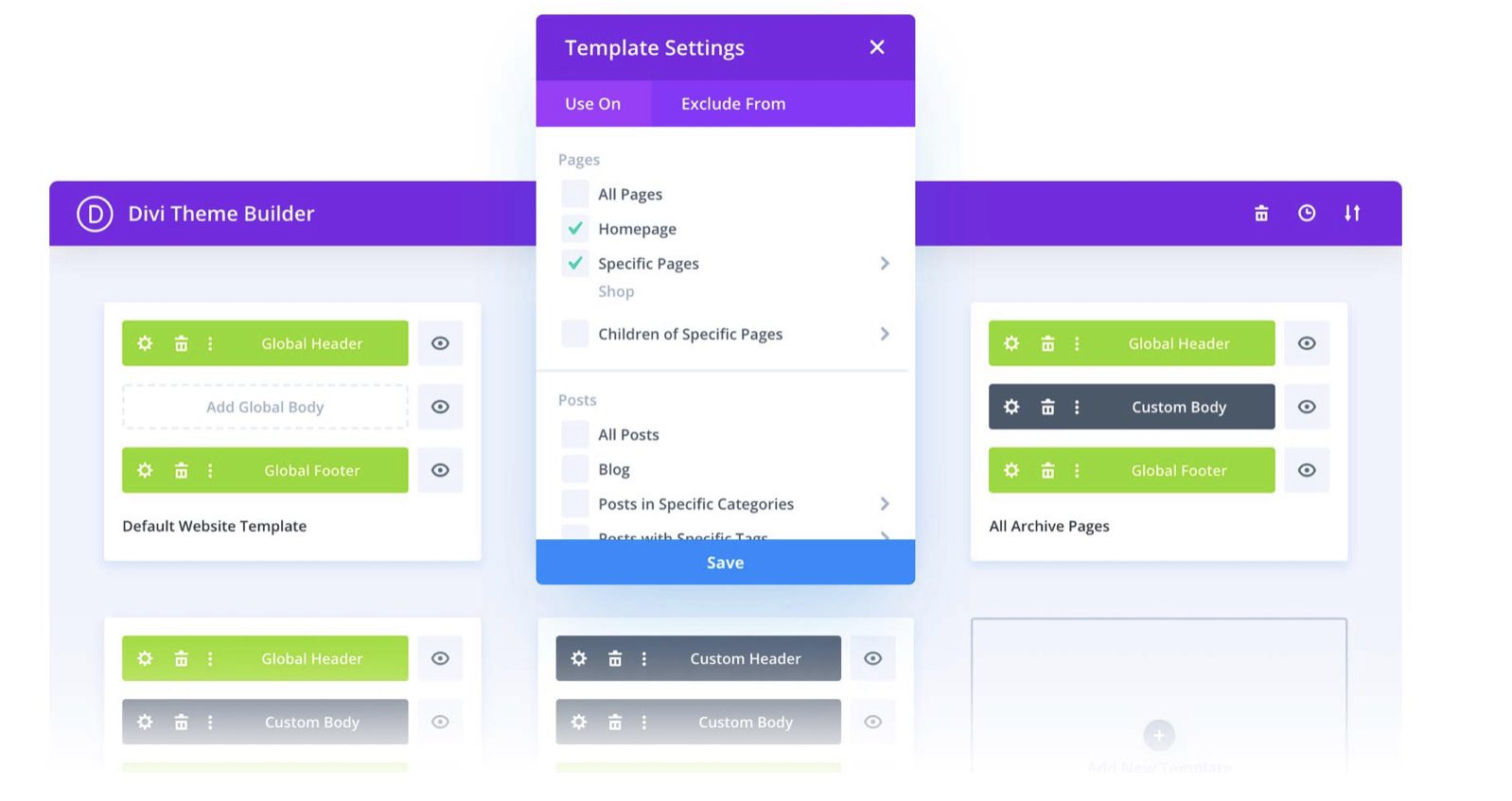
Hey Divi Nation, thanks for joining us in a very special installment of our ongoing Divi design initiative. Today we’re sharing the second theme builder pack that’ll help you set up a website from A to Z. This theme builder pack is part of our big Divi 4.0 celebration. We want to give back to you, the Divi community, by providing you with 6 awesome theme builder packs that you can use right away.
So, let’s take a quick look at the second theme builder pack and how to use it!
Introducing The Divi Theme Builder
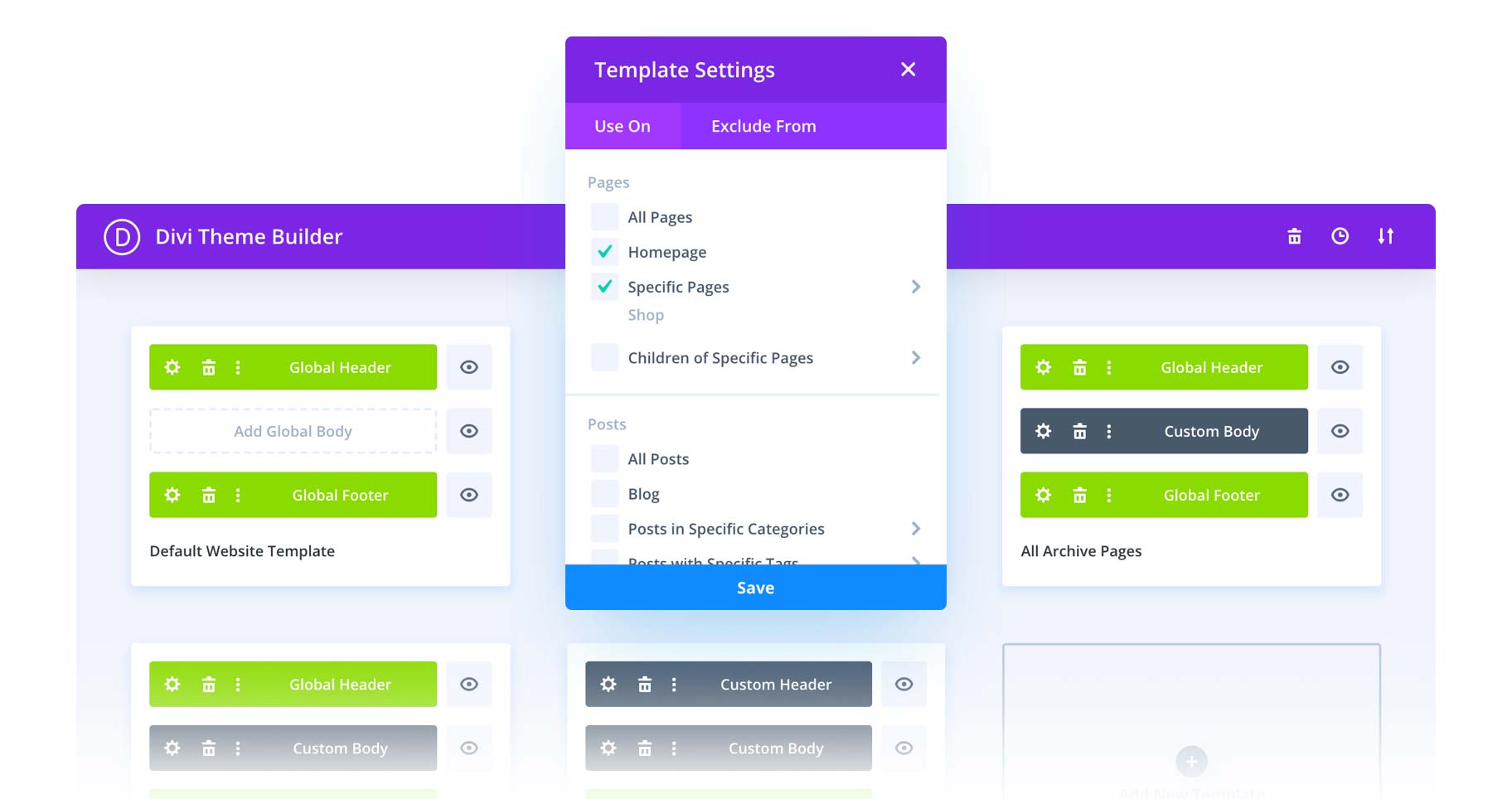
The Divi Theme Builder is a fully-featured website templating system that allows you to use the Divi Builder to structure your website and edit any part of the Divi Theme including headers, footers, post templates, category templates and more. Each Theme Builder template consists of a custom Header, Footer and Body layout. These three areas can be built and customized using the Divi Builder and its full set of modules along with Dynamic Content.
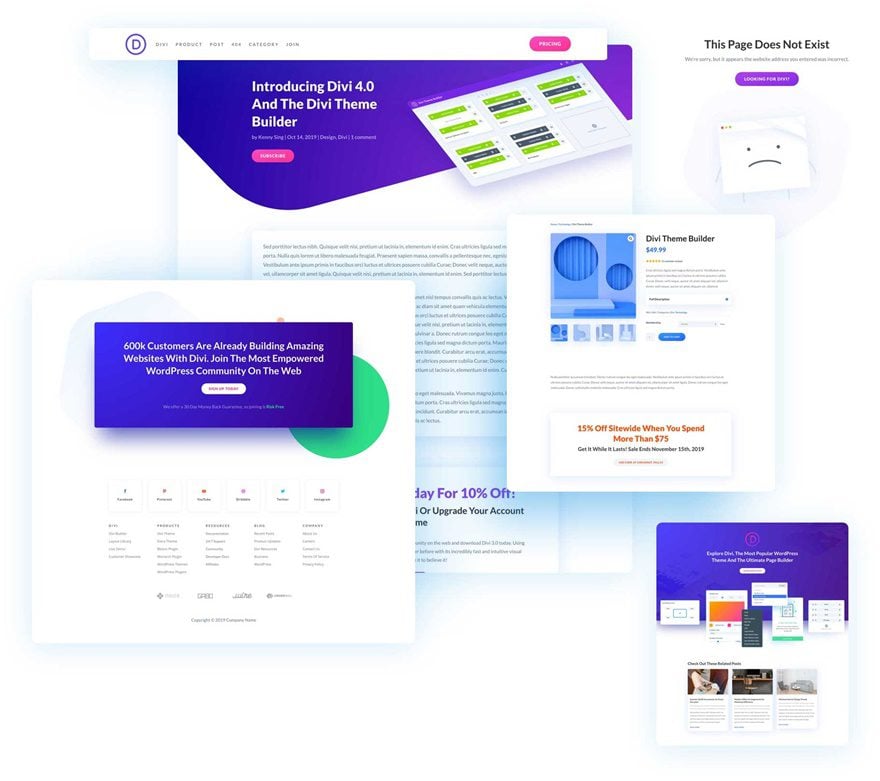
Global Header Template

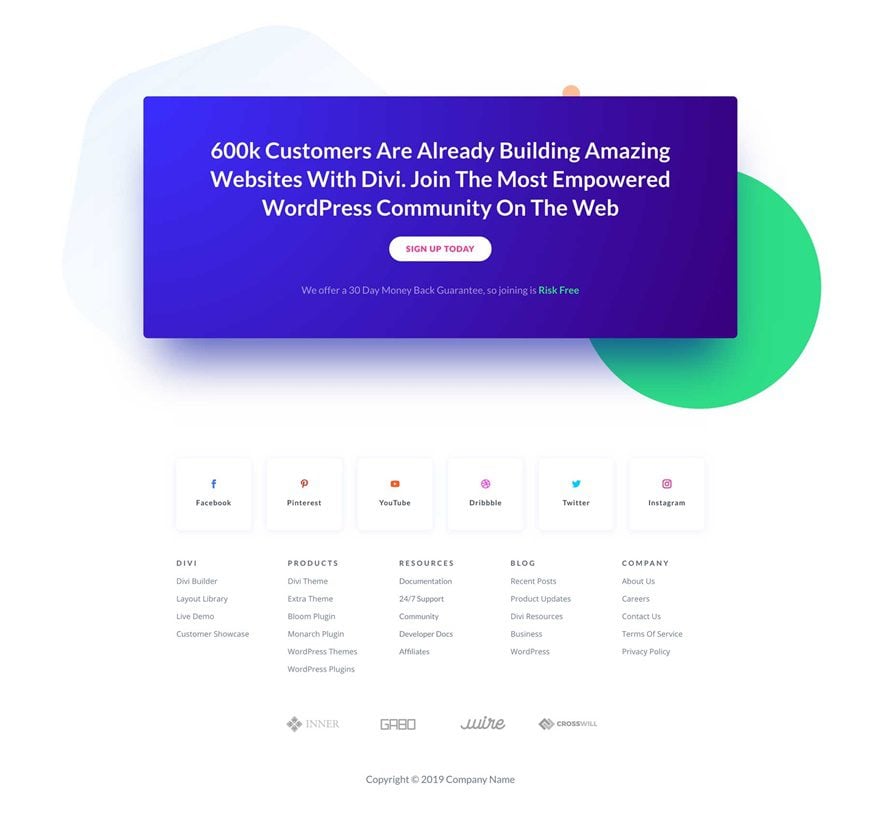
Global Footer Template
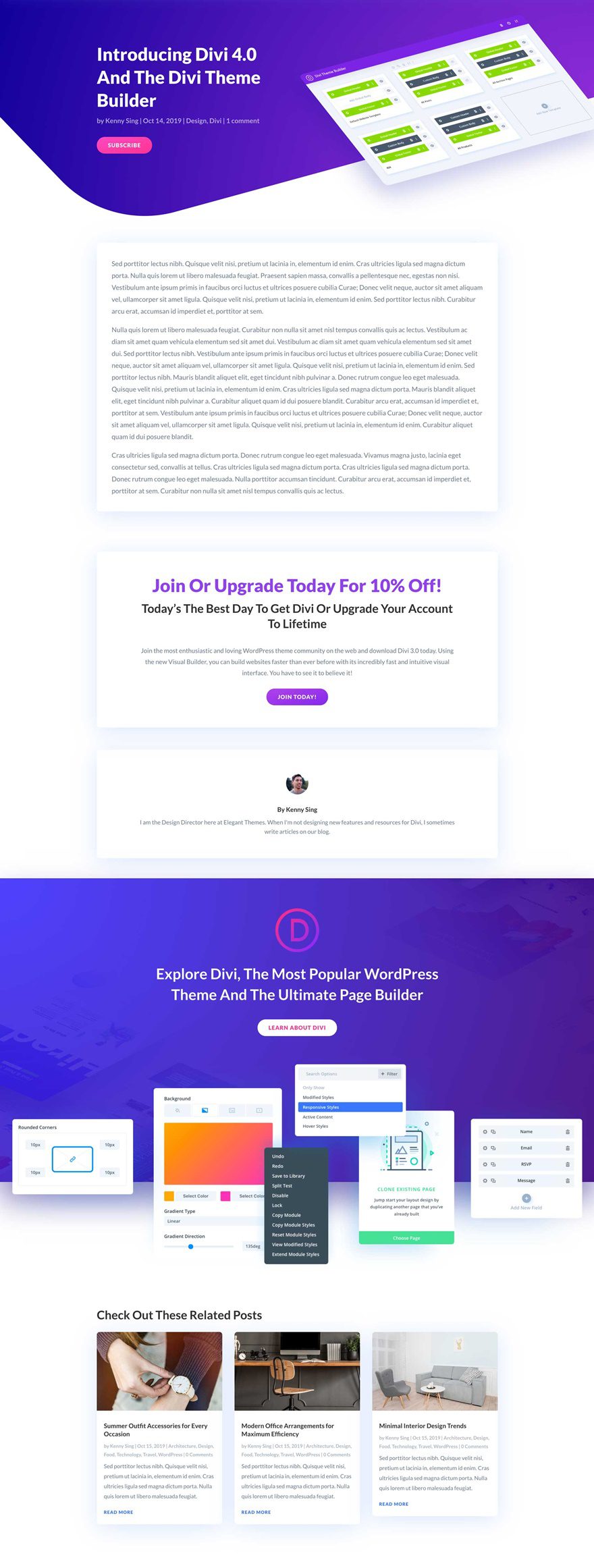
Post Template
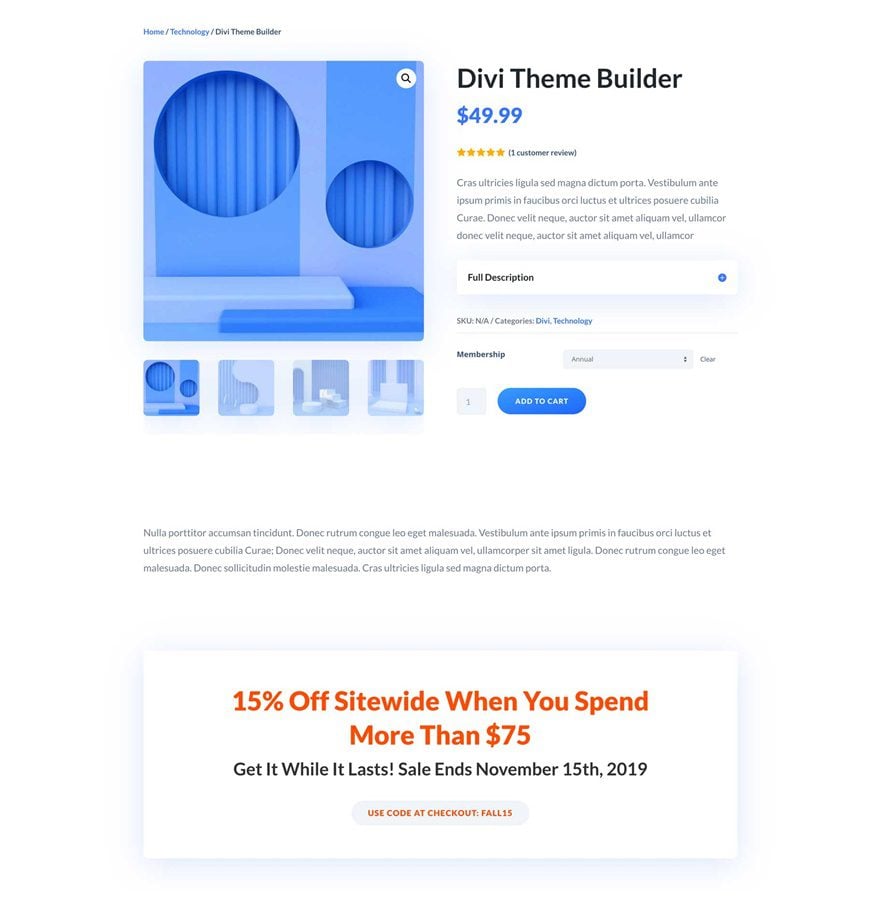
Product Page Template
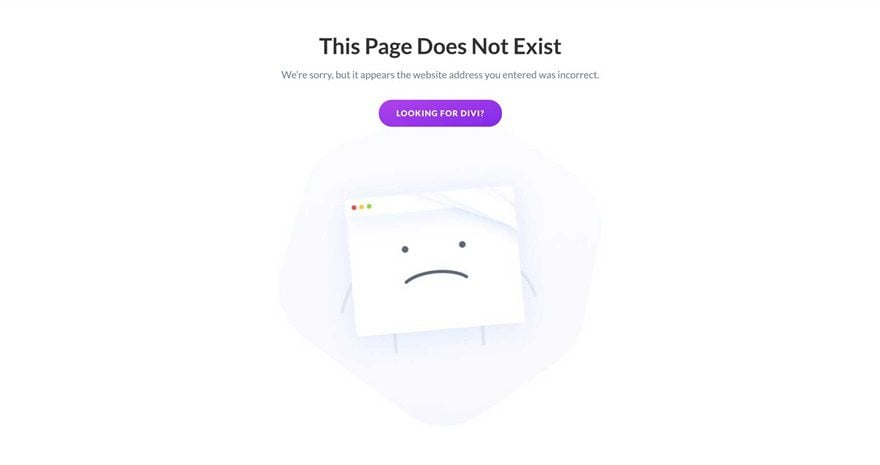
404 Page Template
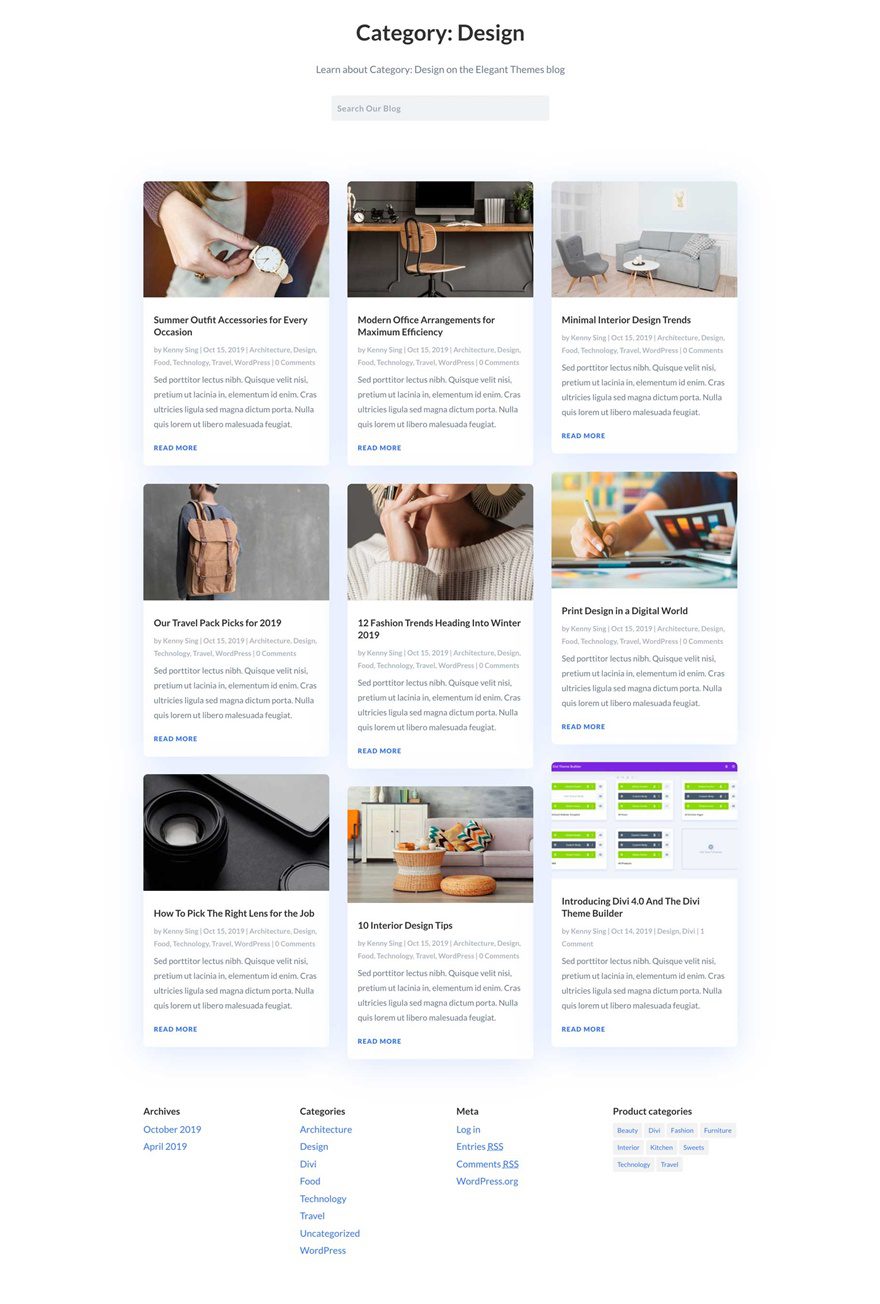
Category Page Template
Key Features
For the second theme builder pack, Kenny and his team have turned the Elegant Themes website into different templates that you can use for your upcoming Divi project. The theme builder pack includes a user-friendly post template and a footer template with an eye-catching CTA design.
Live Demos
Click the links below to see a live demo for each of the layouts included in the pack.
- Theme Builder Pack 2 Post Template (live demo)
- Theme Builder Pack 2 Product Page Template (live demo)
- Theme Builder Pack 2 404 Template (live demo)
- Theme Builder Pack 2 Category Page Template (live demo)
Download The Theme Builder Pack
To use the second theme builder pack on your own Divi website, you will first need to download it using the button below. To gain access to the download you will need to subscribe to our Divi Daily email list by using the form below. As a new subscriber you will receive even more Divi goodness and a free Divi Layout pack every Monday! If you’re already on the list, simply enter your email address below and click download. You will not be “resubscribed” or receive extra emails.
@media only screen and ( max-width: 767px ) {.et_bloom .et_bloom_optin_1 .carrot_edge.et_bloom_form_right .et_bloom_form_content:before, .et_bloom .et_bloom_optin_1 .carrot_edge.et_bloom_form_left .et_bloom_form_content:before { border-top-color: #ffffff !important; border-left-color: transparent !important; }
}.et_bloom .et_bloom_optin_1 .et_bloom_form_content button { background-color: #f92c8b !important; } .et_bloom .et_bloom_optin_1 .et_bloom_form_content .et_bloom_fields i { color: #f92c8b !important; } .et_bloom .et_bloom_optin_1 .et_bloom_form_content .et_bloom_custom_field_radio i:before { background: #f92c8b !important; } .et_bloom .et_bloom_optin_1 .et_bloom_border_solid { border-color: #f7f9fb !important } .et_bloom .et_bloom_optin_1 .et_bloom_form_content button { background-color: #f92c8b !important; } .et_bloom .et_bloom_optin_1 .et_bloom_form_container h2, .et_bloom .et_bloom_optin_1 .et_bloom_form_container h2 span, .et_bloom .et_bloom_optin_1 .et_bloom_form_container h2 strong { font-family: “Open Sans”, Helvetica, Arial, Lucida, sans-serif; }.et_bloom .et_bloom_optin_1 .et_bloom_form_container p, .et_bloom .et_bloom_optin_1 .et_bloom_form_container p span, .et_bloom .et_bloom_optin_1 .et_bloom_form_container p strong, .et_bloom .et_bloom_optin_1 .et_bloom_form_container form input, .et_bloom .et_bloom_optin_1 .et_bloom_form_container form button span { font-family: “Open Sans”, Helvetica, Arial, Lucida, sans-serif; } p.et_bloom_popup_input { padding-bottom: 0 !important;}

Download For Free
Join the Divi Newlsetter and we will email you a copy of the ultimate Divi Landing Page Layout Pack, plus tons of other amazing and free Divi resources, tips and tricks. Follow along and you will be a Divi master in no time. If you are already subscribed simply type in your email address below and click download to access the layout pack.
You have successfully subscribed. Please check your email address to confirm your subscription and get access to free weekly Divi layout packs!
How To Import The Theme Builder Pack
Subscribe To Our Youtube Channel
Once you have downloaded the theme builder pack, locate the divi-theme-builder-pack-2.zip file in your downloads folder on your computer. Double click the folder to unzip it and then navigate inside the divi-theme-builder-pack-2 folder. Inside this folder, you will find one file that contains all the different templates and an individual file for each separate template as well.
To upload the Theme Builder Pack to your website, go to your WordPress Dashboard > Divi > Theme Builder. You can select the individual layout you desire or choose the ‘all’ file to important everything at once.
- theme-builder-pack-2-all.json
- theme-builder-pack-2-default-website-template.json
- theme-builder-pack-2-product-page-template.json
- theme-builder-pack-2-post-template.json
- theme-builder-pack-2-category-page-template.json
- theme-builder-pack-2-404-page-template.json
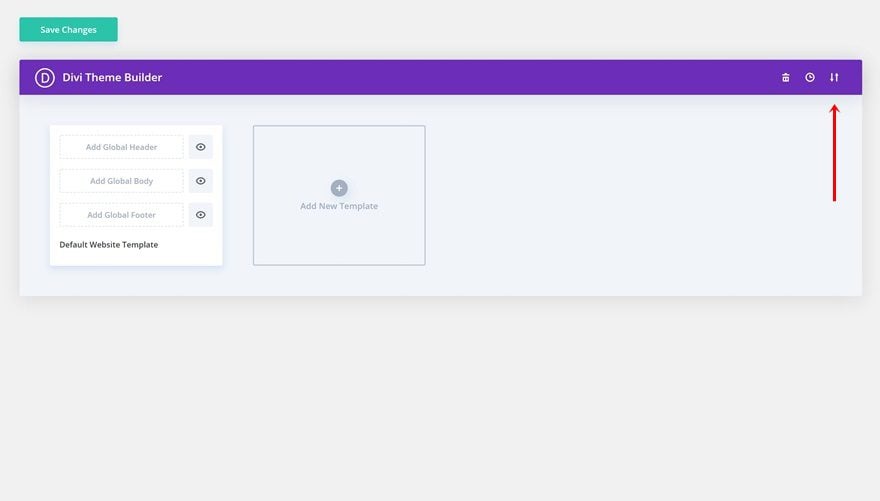
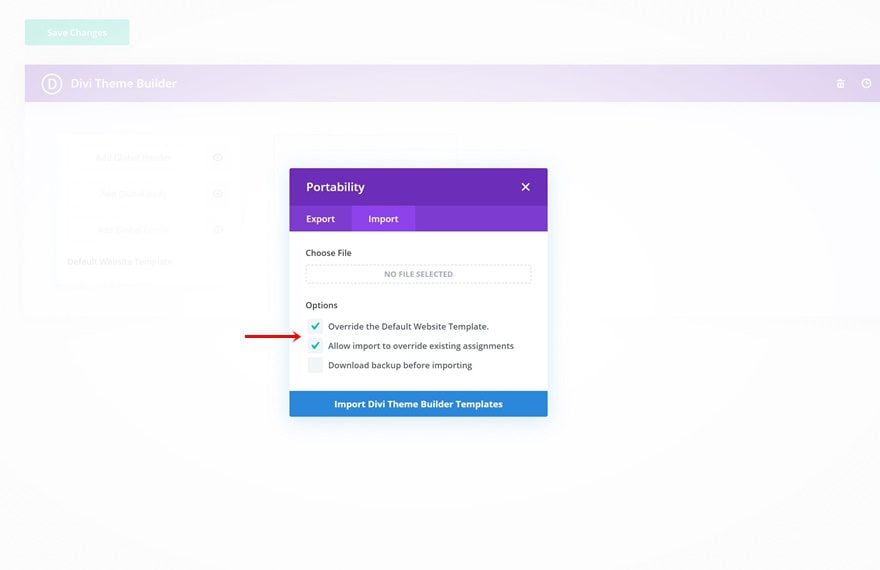
Important: when you import the files without unchecking the boxes, the templates will automatically affect your entire website. Make sure you double-check these options before uploading a file.
No Licensing Restrictions
The photos included with these templates have no licensing restrictions. This means you can use them in all of your commercial projects without having to worry about paying licensing fees or attributing the photographer. Use them in your commercial websites, sell them within your Divi child themes, include them in your own Divi layout packs or just use them on your blog. We know how challenging it can be to find good photos and how confusing and scary the licensing that governs those photos can be. We want to fix that problem for our users.
Download the Full Res Image Assets
The Third Theme Builder Pack is Coming Your Way Tomorrow!
We hope you enjoy this theme builder pack. We look forward to hearing your opinions in the comment section below. Make sure you check back tomorrow for another beautiful theme builder pack!

Win A Free iPad Pro!
When we announced the countdown to Divi 4.0, we gave away a free MacBook Pro. Now that Divi 4.0 has arrived we thought to ourselves…why not give away an iPad Pro too?  To enter the giveaway, simply complete as many of the raffle options below that you can. The more entries you submit, the better chance you have to win.
The post Download The Second FREE Theme Builder Pack For Divi appeared first on Elegant Themes Blog.







