
Dialog window
  • Home
  • About
    • Reviews
    • Awards
    • Invest Locally
  • Services
    • Website Design
    • Managed Hosting
    • Accessibility Compliance
    • Content Builder
    • Multi-Language Websites
    • SEO
    • Social Media
    • Premier Property Promotion
    • Reputation & Management Services
    • Low Code/No Code Solutions For MVP
    • Citations Builder
    • Pricing
  • Portfolio
  • Website Audit
  • Blog
  • Get Started

Divi Creator Showcase: Divi Lover
Hey Divi Nation! Thank you for joining us for another episode of Divi Creator Showcase, where we interview a Divi Creator from our Marketplace–learning all about their story, products, and ongoing journey as part of the Divi Community.

In this episode, we are joined by Divi Creator Ania of Divi Lover. She’s the creator of Divi Toolbox and currently has over 970 sales in the Divi Marketplace. Let’s learn a bit more about Ania and her creations.

Divi Creator Showcase: Divi Lover

Check Out All of Divi Lover’s Products

Divi Toolbox
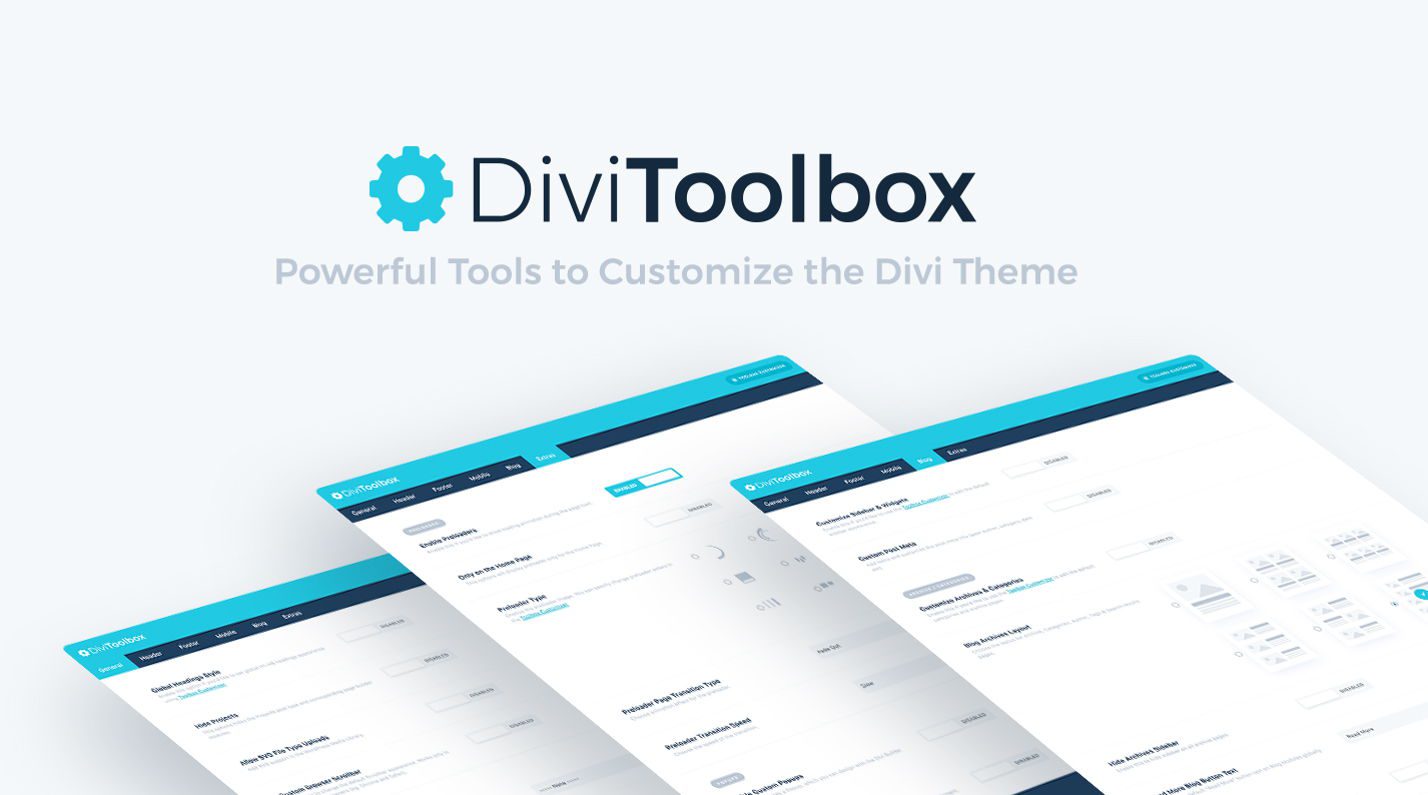
Divi Toolbox by Divi Lover is another massive time saver with lots of little features that go a long way towards saving you time and energy on just about every Divi project. This extension allows you to make site-wide changes quickly, customize your WP Admin to get the most out of the Projects post type, use SVG file type uploads, and so much more!

What Makes it Special: Supercharge your Divi Theme Customizer!

Many of Divi Toolbox’s features are housed in the Divi Theme Customizer, making it easy to add loads of useful flourishes to your website from a familiar place. Including, but definitely not limited to, login page customizations!

Divi Toolbox Header Settings
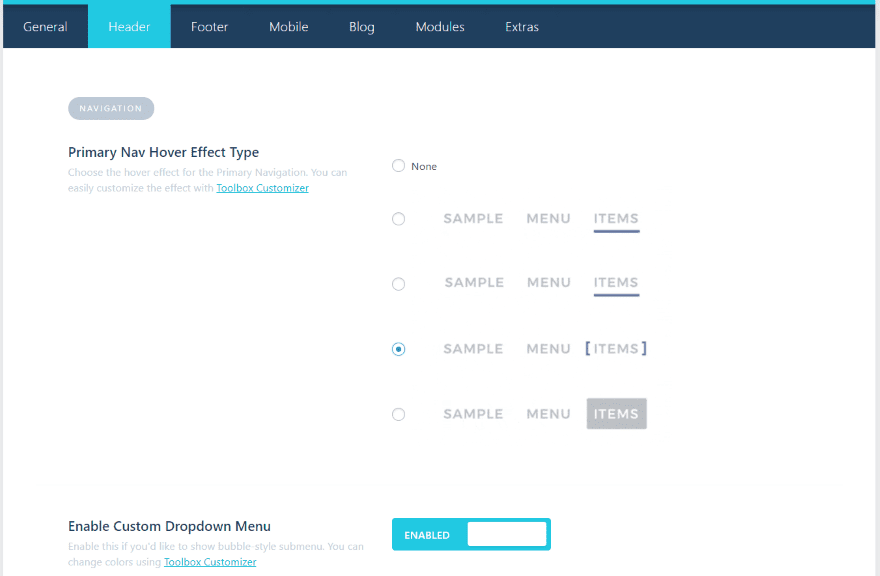
The Header settings add styling to the menu, enable a custom dropdown menu, add a CTA menu button, change the logo on fixed menu, enable overlapping logo, and add a Divi layout before navigation on the home page, and a layout before and after navigation on other pages.
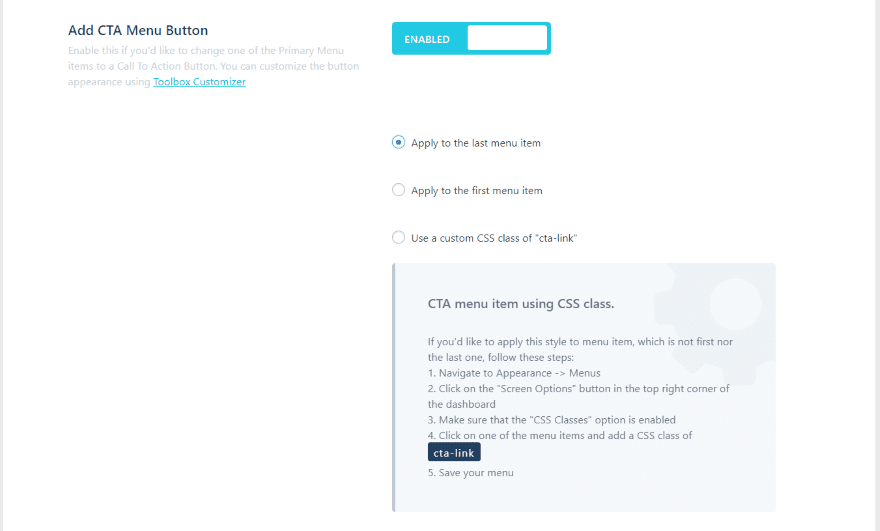
The CTA menu button lets you apply the CTA to the first or last menu item, or apply a custom class. It provides the CSS and instructions on where to add it.
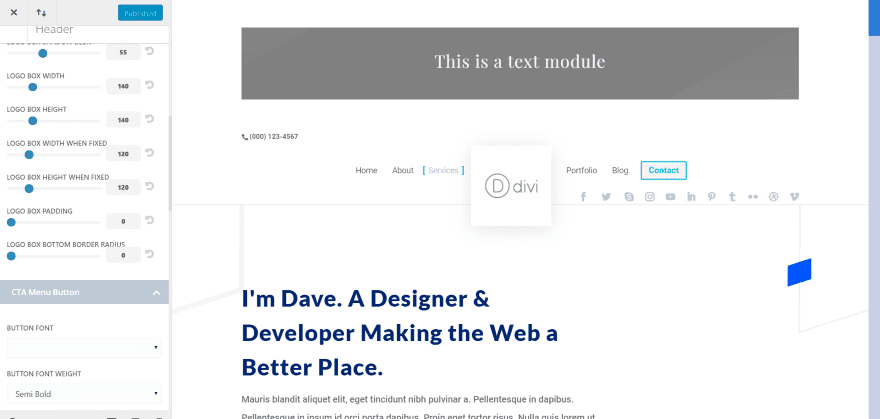
Here’s customizer for the header. I’ve added a layout above the menu (in this example it’s just a text module, but you can add a complete layout if you want). The overlapping logo has a square box with shadow effects. I changed the logo size from 200 to 140 and moved the social icons to the main menu. I’m hovering over the Services menu item so you can see the CSS effect.

You can get a deeper look at the plugin by viewing our in depth Divi Plugin Highlight blog post.

Check Out Divi Toolbox

Until the Next Episode!

Thanks for checking out another installment of the Divi Creator Showcase series. We look forward to introducing you to more amazing Divi Creators in future episodes. If you have a request for a creator you’d like to see featured, let us know in the comments.

The post Divi Creator Showcase: Divi Lover appeared first on Elegant Themes Blog.

Recent Posts

  • Build Your Business—We’ll Build Your Website

    Build Your Business—We’ll Build Your Website

  • 5 Website Red Flags That Are Hurting Your Business in 2026

    5 Website Red Flags That Are Hurting Your Business in 2026

  • Stress-Free WordPress: Built for Busy Business Owners

    Stress-Free WordPress: Built for Busy Business Owners

  • 3 Silent Killers of Business Websites (and How We Fix Them)

    3 Silent Killers of Business Websites (and How We Fix Them)

  • What Is Managed WordPress Hosting and Why It Matters

    What Is Managed WordPress Hosting and Why It Matters

  • Top 10 Must-Have Website Features for Small Businesses in 2026

    Top 10 Must-Have Website Features for Small Businesses in 2026

  • Why Your Website Isn’t Getting Leads (and How to Fix It)

    Why Your Website Isn’t Getting Leads (and How to Fix It)

  • Behind the Build: Designing Smart, Secure Websites

    Behind the Build: Designing Smart, Secure Websites

  • Accessibility Compliance Isn’t Optional Anymore — Here’s Why

    Accessibility Compliance Isn’t Optional Anymore — Here’s Why

  • Top 5 Website Mistakes We Fixed in 2025

    Top 5 Website Mistakes We Fixed in 2025

Awards

  • Clutch Top Web Design Company Medical Websites 2024

    Clutch Top Web Design Company Medical Websites 2024

  • Clutch Top Web Design Company Government Websites 2024

    Clutch Top Web Design Company Government Websites 2024

  • UpCity National Excellence Winner 2024

    UpCity National Excellence Winner 2024

  • UpCity National Excellence Winner 2023

    UpCity National Excellence Winner 2023

  • UpCity National Excellence Winner 2022

    UpCity National Excellence Winner 2022

  • UpCity Local Excellence Washington DC 2021

    UpCity Local Excellence Washington DC 2021

  • UpCity Top Designer 2021

    UpCity Top Designer 2021

  • DesignRush Accredited Agency 2021

    DesignRush Accredited Agency 2021

  • Clutch Top Company Washington DC 2021

    Clutch Top Company Washington DC 2021

  • Digital.com Best SEO Firms Washington DC 2021

    Digital.com Best SEO Firms Washington DC 2021

Ask the Egghead is a full service WordPress web design and development agency. An Egghead will help you develop ideas and projects, transform your organization, and grow your business.

  • Follow
  • Follow
  • Follow
  • Follow
  • Follow
  • Follow
  • Follow
  • Follow
  • Follow
  • Follow
  • Follow
  • Follow
  • Follow
  • Follow

Quick Links

  • Portfolio
  • Blog
  • About
Careers we’re hiring

Services

  • Website Design
  • Social Media
  • SEO
  • Managed Hosting
  • Privacy Policy
  • Investors

Reach Us



support@asktheegghead.com



200 Massachusetts Ave NW
8th Floor Suite 133
Washington, DC 20001



(202) 750-1910



399 Boylston Street
Suite 685
Boston, MA 02116



(617) 221-8300

© 2015 – 2026 Ask the Egghead. All rights reserved

Capability Statement   |   Privacy Policy   |   SEO Guarantee / Disclaimer | Terms of Service


